Desk & tech · RESEARCH-BASED GUIDE
Logitech M720: switching computers is not the same as sharing files
Choose the M720 around your two-computer workflow, receiver compatibility and hand fit—not an assumption that every Flow feature works everywhere.
Affiliate disclosure: As an Amazon Associate I earn from qualifying purchases. We may earn a commission from qualifying purchases through links marked “Affiliate link”, at no additional cost to you. Read our disclosure.
Based on linked manufacturer information and our editorial decision framework. We have not personally tested the featured products. How we work.
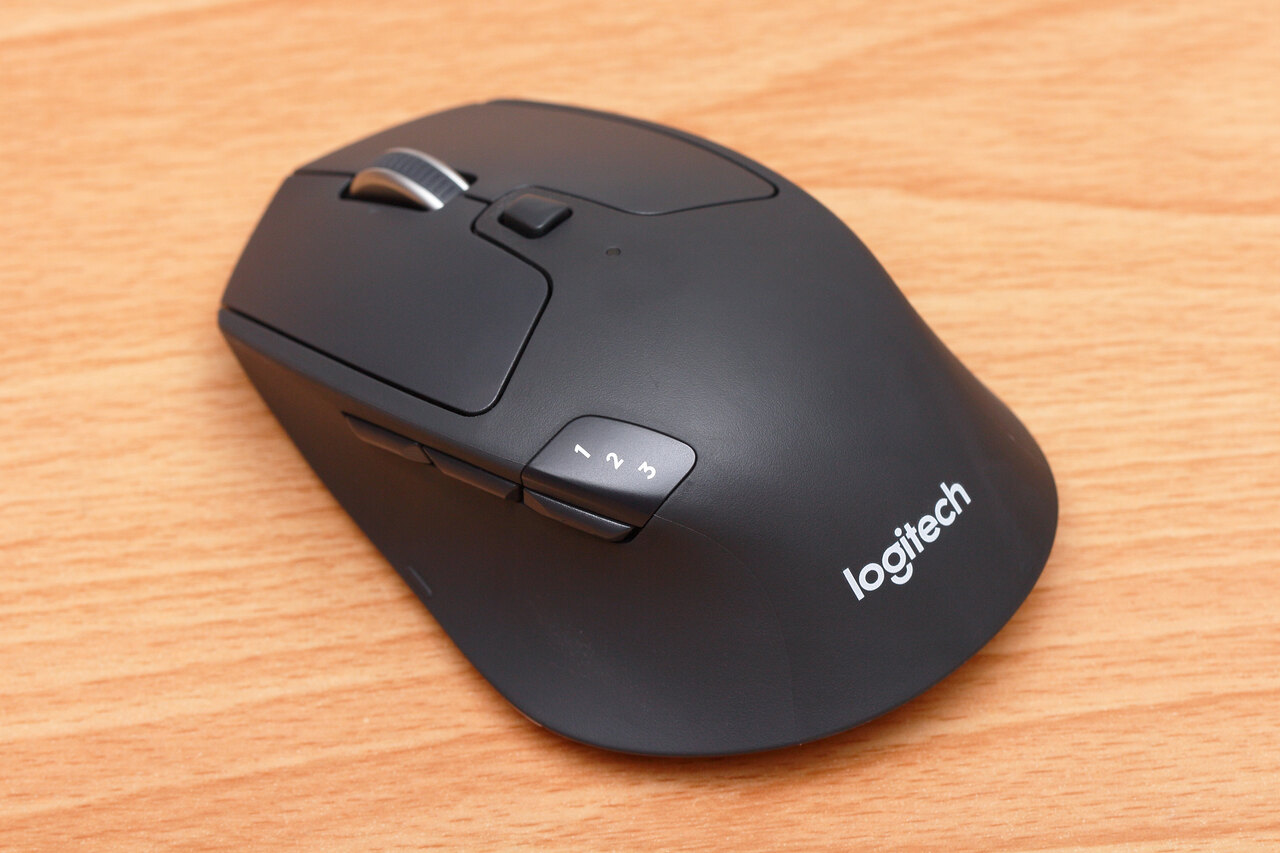
At a glance: fit, benefit and alternatives
| Decision | Our assessment |
|---|---|
| Who it suits | A right-handed office user switching between a work laptop and a personal computer. |
| Why consider it | Up to three paired devices and a switching button make a two-computer desk a clear use case. |
| The trade-off | Not a competitive-gaming pick. Software-assisted Flow and basic device switching are different capabilities. |
| Choose something else when… | If you only use one computer, keep a comfortable working mouse. For shared displays and several peripherals, compare a suitable KVM setup; for gaming, prioritise a tested gaming mouse. |
Start with the desk, not the spec sheet
Put the work computer and personal computer on a short checklist. Note their operating systems, permitted connections and whether you can install software. Someone who changes computers ten times during a work session has a clearer reason to buy a multi-device mouse than someone who changes once a week. We do not have measured demand or conversion data for that audience.
The verified hardware offer
Logitech lists Bluetooth and a Unifying USB receiver connection, up to three paired devices, and a right-handed shape. Its scroll wheel supports free-spinning and stepped operation. The appeal is a familiar pointer that can follow you between paired devices. Check the exact Amazon package before ordering; a Unifying device should not be mistaken for a Logi Bolt accessory.
Three different problems
| What you want | What to verify |
|---|---|
| Press a button to use another computer | Pairing and device compatibility |
| Move the pointer and copy files across computers | Flow setup, supported systems and software permission |
| Switch a monitor, keyboard and other USB devices too | A suitable KVM or docking workflow, not just a mouse |
The practical trade-offs
RTINGS rates the M720 as an office-oriented mouse and identifies limitations for competitive gaming. Treat that as independent testing by RTINGS, not by us. Hand fit is still personal: a feature-rich mouse that makes you stretch for its controls is a poor purchase. Consider whether you want a dedicated desk mouse or a smaller travel companion, and use a return policy that lets you evaluate fit under its actual terms.
Flow needs a separate decision
Logitech provides a Flow setup guide. Read that before making file transfer the reason to buy. A work computer may restrict installations or cross-device data transfer; this mouse does not override either restriction. Manual device switching is a different promise from moving a pointer across screens. Avoid treating Linux, tablets and every company-managed machine as having identical software support.
Alternatives, and a specification we are not using
Keep your existing mouse for a single-computer setup. Compare a compact model such as the MX Anywhere 3S for portability, or a tested gaming mouse when latency is central. We found a discrepancy between current Logitech sensor-adjustment wording and older RTINGS specifications, so we are not quoting a DPI range or promising custom sensitivity behaviour for this listing. Verify that specific requirement with Logitech before purchase.
Listing, ranking and buying limits
Research checked 16 September 2026. Verification of the 30 complete days from 17 August through 15 September 2026 is pending: we have not obtained a complete dated ranking history for ASIN B087Z6LSHW. This guide does not establish the product as a verified 30-day bestseller. A previously retrieved Amazon.com snapshot displayed #12 in Computer Mice; its reader freshness label was “today” when consulted on 16 September. That isolated observation is not a verified live rank or a monthly ranking. Monthly units sold are also unverified. Amazon.com US listing identified; current seller, price, stock and delivery to your address were not independently confirmed. Check these before ordering. This is a research-based guide, not a hands-on test. Item commission rate, search volume and conversion rate remain unverified; we make no earnings forecast.
Other finds for the same task
Consider these only if they solve another part of your task.
- OXO · Good Grips Electronics Cleaning Brush — Keep a separate device-approved brush for loose desk-accessory dust.
- Nite Ize Gear Tie Original — Organise the cables that remain in your two-computer workspace.
Sources & scope
Sources checked on 16 September 2026. Product facts come from the pages below; selection tables and suggested checks are our editorial analysis, not test results.
- Logitech M720 Triathlon: current official specifications (opens in a new tab)
- Logitech: Flow setup and supported workflow (opens in a new tab)
- Amazon: M720 Triathlon listing, B087Z6LSHW (opens in a new tab)
- RTINGS: independently tested M720 Triathlon (opens in a new tab)
- Reader question: using one mouse on two computers (anecdotal) (opens in a new tab)
- Amazon: what Best Sellers Rank measures (opens in a new tab)
- Amazon Associates program policies and qualifying purchases (opens in a new tab)
Found a factual error or a changed listing? Send a correction with the page address and supporting source.