Desk & tech · RESEARCH-BASED GUIDE
Logitech M185: buy it for one computer—and check the USB port first
M185 versus a trackpad, Bluetooth mouse or M720: receiver fit, everyday comfort and the hidden inconvenience of a USB-C-only laptop.
Affiliate disclosure: As an Amazon Associate I earn from qualifying purchases. We may earn a commission from qualifying purchases through links marked “Affiliate link”, at no additional cost to you. Read our disclosure.
Based on linked manufacturer information and our editorial decision framework. We have not personally tested the featured products. How we work.
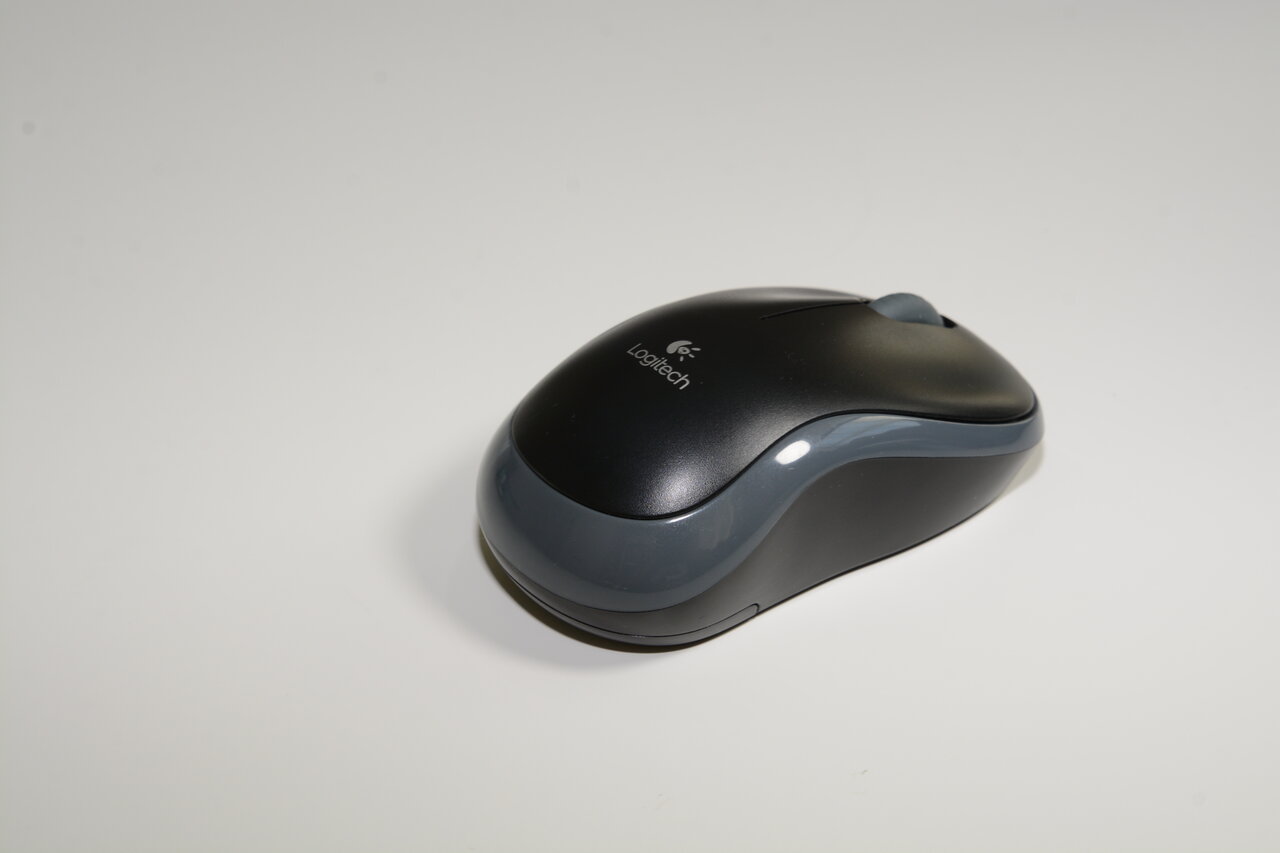
At a glance: fit, benefit and alternatives
| Decision | Our assessment |
|---|---|
| Who it suits | One-computer office or study setups with a spare compatible USB-A port. |
| Why consider it | Move everyday pointing off a cramped trackpad without paying for multi-computer controls you will not use. |
| The trade-off | Receiver occupies a port; compact fit and audible clicks will not suit everyone. No Bluetooth switching. |
| Choose something else when… | The M720 is worth comparing for regular computer switching. For a USB-C-only machine, compare Bluetooth against the cost and inconvenience of an adapter. |
Start at the side of the laptop
Look at the computer you will actually use, not a generic compatibility list. Is there a free USB-A port, and will the receiver obstruct another plug? Will a dock remain connected? If your laptop has only USB-C, include a suitable adapter in the convenience and cost comparison. The M185's wireless connection still depends on its USB receiver; it is not a Bluetooth mouse.
Why a basic mouse can be enough
Logitech describes a compact, ambidextrous design, line-by-line scrolling and plug-in receiver operation across Windows, macOS, ChromeOS and Linux. It uses one AA battery, with a maker claim of up to 12 months under its conditions. For pointing through documents, lessons and ordinary browser work on one machine, those are relevant capabilities. They do not establish medical ergonomic benefits or guarantee comfort for every hand.
What another user actually found
UOL's 7 September 2026 report describes nine months of M185 use, highlighting portability and a stable connection while flagging compact fit and click noise. We checked the accessible search excerpt; the full article could not be retrieved. We do not treat it as a gaming benchmark or reproduce its weight claim. Our advice is to check hand fit and your room's tolerance for clicking, not to assume 'small' means comfortable.
Choose the connection, then the mouse
| Setup | More useful starting point |
|---|---|
| One computer, free USB-A port, ordinary desk tasks | M185 |
| USB-C-only laptop and no desire for adapters | Compare a compatible Bluetooth mouse |
| Work and personal computers used throughout the day | Compare M720 switching |
| Quiet shared room | Compare a specifically quiet-click model |
| Fast competitive games | Choose from independently tested gaming-focused mice |
M185 versus the M720 already on our site
The M720 has a different reason to exist: changing between compatible computers. Do not pay for that convenience if the M185 will stay with one machine. Conversely, repeatedly moving a receiver between two laptops is a clue that the cheapest simple mouse may not be the simplest setup. List the connections your workplace permits before counting on software or Bluetooth features.
Receiver and packing checks
Confirm that the selected offer includes the matching receiver and battery, and check the return policy for comfort. A photograph of the mouse alone cannot prove what is in the box. Do not assume that an existing Unifying, Bolt or other Logitech receiver will work interchangeably. When packing a laptop, protect its ports and store small loose parts where they can be found.
When not to buy
Keep a current mouse or trackpad that already suits you. Skip the M185 if the real requirement is a larger grip, silent clicking, extra programmable controls or seamless device switching. Buying a basic mouse and immediately adding workarounds can cost more effort than choosing the correct connection and shape first.
Popularity evidence and limits
On 18 September 2026 we retrieved Amazon.com ASIN B004YAVF8I, showing #1 in Computer Mice. The search service reported “crawled last week”; an exact collection timestamp was not supplied. This is a recent snapshot within 30 days, not a verified live rank and not a 30-day cumulative sales ranking. We did not substitute a last-month purchase badge or estimate sales. Live Amazon stock, seller, price, address-specific shipping, search volume, conversion rate and our applicable commission rate remain unverified. Amazon.com is the US storefront; that does not guarantee delivery elsewhere.
Other finds for the same task
Consider these only if they solve another part of your task.
- Logitech M720 Triathlon Mouse — Choose this alternative when switching between work and personal computers is the actual inconvenience; there is no need to buy both.
- Samsung T7 Shield Portable SSD 4TB — For the same mobile workspace, compare separate storage only if large project files need to travel; check ports for the drive and mouse receiver together.
Sources & scope
Sources checked on 18 September 2026. Product facts come from the pages below; selection tables and suggested checks are our editorial analysis, not test results.
- Logitech: M185 connections, compatibility and battery claim (opens in a new tab)
- UOL: nine-month M185 use report, 7 September 2026; accessible search excerpt, full-page retrieval unavailable (opens in a new tab)
- Logitech M720 specifications (opens in a new tab)
- Amazon.com: B004YAVF8I; recent category-rank snapshot (opens in a new tab)
Found a factual error or a changed listing? Send a correction with the page address and supporting source.